
Portal Builder
Portal BuilderPro
Pull, create and edit a whole Service Portal as Git-versionable JSON — a visual canvas, menu management, page routing and a Theme & Libraries editor, all behind the same push guards.
Pull Portal, Create Portal, Open Portal Builder) are part of the paid tier. The widget workflow stays free. See pricing and how to activate.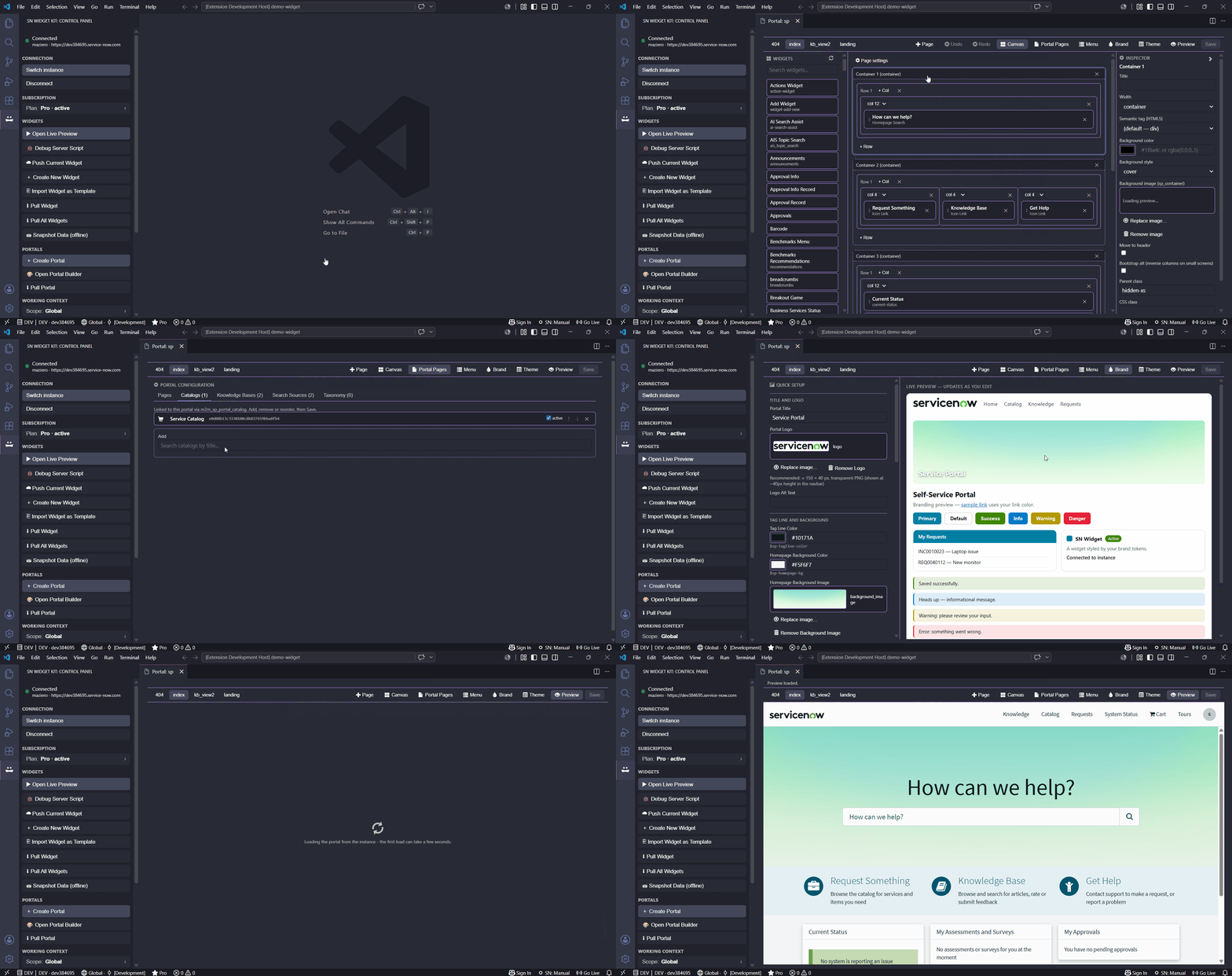
Beyond individual widgets, the Portal Builder lets you pull, create and edit a whole Service Portal as Git-versionable JSON, with a visual canvas. It mirrors the sp_* records 1:1 and pushes back through the same Update Set / scope / production guards as widgets.
Pull Portal
Pull Portal — pick a portal and mirror it locally to portals/<slug>/<suffix>/. Widgets are resolved by id and options come from widget_parameters.
<workspace>/portals/<slug>/<suffix>/
├── portal.json            → the sp_portal record
├── pages/<id>.page.json   → one file per page (sp_page)
└── .portal-meta.json      → metadata (sys_id, instance) — not pushed
Create Portal (clone existing)
Create Portal — clone an existing theme (or Coral) plus a blank home, then build content on the canvas.
Open Portal Builder (canvas)
Open Portal Builder opens a webview with tabs:
- Canvas — edit pages: Container → Row → Column (Bootstrap grid) → widget instances; add/remove/resize/reorder, edit titles and options. Save syncs the page; Preview loads the live portal through the local proxy.
- Menu — manage the portal's
sp_rectangle_menu(items, types, page/URL targets, order, nesting), with create/update/delete reconciliation. - Portal Pages — configure the
sp_portalrouting fields (homepage, login, 404, catalog, category, KB) with a per-field page search and a surgical save. - Theme → Libraries — edit the theme and its include libraries:
- Theme settings: name, navbar/footer fixed, Header/Footer references (
sp_header_footerpicker) and Match Now Experience theme (sys_ux_themepicker). Open in editor (SCSS) editscss_variablesin a real.scsseditor with autocomplete. - CSS includes / JS includes: add an external URL (CDN), an inline stylesheet / UI Script, or link an existing include; reorder and remove.
- Theme settings: name, navbar/footer fixed, Header/Footer references (