
Previews
Hot reload on the real portal
The real portal is the highest-fidelity preview there is — the actual ServiceNow runtime with real data. Keep editing in VS Code; your changes stream to the live page.
The local preview is a sandbox; the real portal renders any widget at 100%, including complex out-of-the-box ones. You keep editing in VS Code, and your changes stream to the live portal page over a local WebSocket.
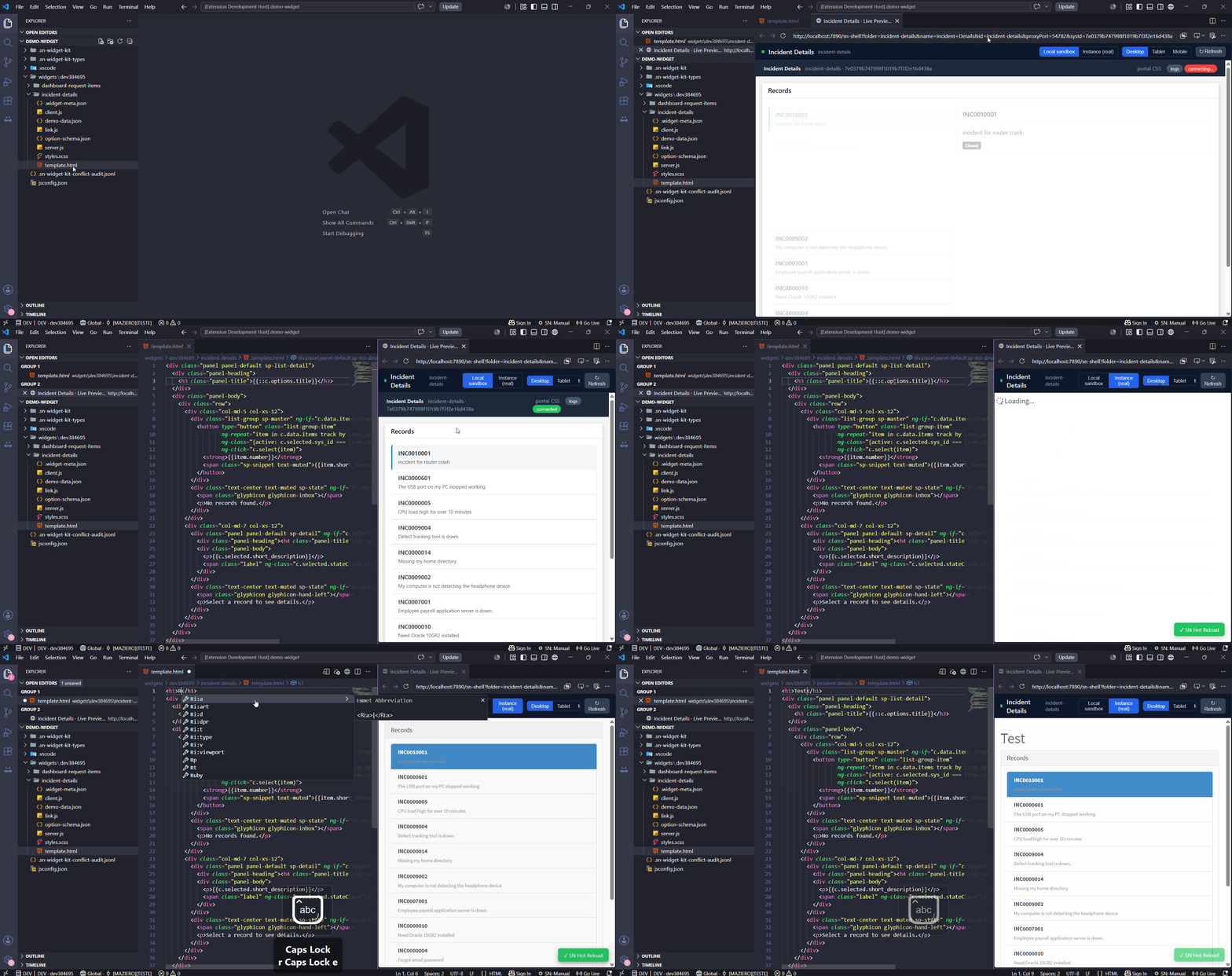
One command, real runtime or local sandbox
SN Widget: Open Live Preview (also the Open Live Preview button in the Control Panel) opens the active widget in a preview shell — a toolbar (Desktop/Tablet/Mobile widths, Refresh, a hot-reload status dot, and an Instance ↔ Local sandbox toggle) around the live preview.
When you're connected to an instance, the shell embeds that widget's ServiceNow preview page — /$sp.do?id=sp-preview&sys_id=<widget>, the very page the platform's Widget Editor uses — so it renders with the real ServiceNow runtime at full fidelity. It works through a tiny localhost reverse proxy that authenticates from your stored credentials, strips the frame-blocking headers (X-Frame-Options/CSP) so the page can be embedded, and injects the hot-reload client — so it opens already signed in, no bookmarklet, no userscript manager, no second login.
As you work
| You edit & save… | On the real portal |
|---|---|
| styles.scss | CSS is compiled and swapped in-place — instantly, no push, no flicker |
| template.html | The widget is recompiled in Angular on the page — instantly, no push (keeps controller state) |
| client.js / server.js / link.js / schemas | Triggers a page reload. server.js runs on the instance, so enable Toggle Auto-Sync to push on save and have the reload show the new server output |
So for styling and markup — the bulk of iteration — your local edits land on the real portal the moment you save, with no push.
127.0.0.1 only, and your credentials are used solely to authenticate to your own instance — never sent to third-party hosts. The extension ships no browser extension.server.js runs on the instance, and some write/CSRF-bound interactions go through the proxy — for live-update (AMB)-heavy flows the full portal is still the source of truth.